} -->

Friday, 2 January 2015

NAPLAN Year 5 Quizzes

I don't believe in teaching to the test. If you teach to a test you are bound to miss deeper learning and key concepts.
I do believe that students should have a good knowledge of what is going to be in a test, be familiar with the test format and have a chance to review.
To cover the above with my year three class I developed a set of 12 quizzes which I give one a week to the students. They cover the concepts covered from that week of learning in NAPLAN format.


This resources has been so successful in my classroom and that of others across Australia that I have finally gotten around to developing the quizzes for year 5 students.


Drawing Clip Art in PowerPoint


I prefer to make my own clip art and have found PowerPoint to be the easiest to use to create them.
POWERPOINT????? Yep, that's right, you don't need fancy computer software to create simple and cute clip art for any of your projects.
Today I am going to share a few tips with you for getting started.

Step 1: Think of the clip art you wish to make as simple shapes. Start off with the big shapes first.

 Step 2: Change the colour of the fill and border as needed.


Step 2: As your add smaller details you may want to hide parts of the shape. For example, in the picture below the penguins arm is made from an oval but you don't want to see the entire oval. Use the send backwards button to send it behind all the other shapes. You may need to press it a few times as each click will only send it behind one of the shapes behind it.

Step 3: For symmetrical items copy and paste them and then use the flip button.


Step 4: Grouping items can be really useful if you want to use multiple shapes to make one item on your clip art and then flip it or copy that item. Hold down crlt and then click on each of the shapes you would like to group (hint: wait until a little cross appears before clicking to ensure you are selecting the right item other wise you might click the background and have to start again.) Once you have the items selected, right click the new shape and select group and then group again. You can ungroup the shapes at any time if you need to make alterations.
Step 5: You have two options for saving you picture. For the first method go to save as you usually would. Type the file name but before you click save, change the file type to JPEG or PNG. This saves it as a picture. A pop up window will ask you if you want to do all the slides or just that one page.

Step 5b: I prefer saving it as a PNG file which deletes white spaces so you add it into your other products without having to have a border around the picture. While you can use the method above to save it as a PNG file I prefer to group all my shapes involved in the clip art and then right click and save the picture. 

PowerPoint is so easy to create pictures, you don't need to be good at drawing to use it.


Some extra tips:
Hold shift down while clicking and dragging to create shapes to make perfect circles, squares or just to maintain the aspect ratio of something you have already created.

For most of my clip art I add a black border with a line weight of 3 for continuity.

Wednesday, 31 December 2014

Happy New Year!


Hi there fellow teachers,

I love being a teacher! I love the students, the planning, the preparing, the teaching and the resource making!
So what was I doing New Years Eve and now on New Years day? Creating resources to be used in the classroom because I ENJOY doing it!

I don't usually like New Year resolutions. It's just the New Years Fever that hits us all and causes us to want to make this year bigger and better. This year I have succumbed....sorta.... I have a list of things I would like to do in January. Hopefully by limiting them to January goals I can achieve them all!
My first....to do a blog everyday of January!
Make sure you follow me so you don't miss out on all the tips, freebies and products I will be sharing over the next 31 days.

For starters here is my first product (he he) of 2015, a bundle of all my resources from 2014 for a steal.
Due to being busy this year having a baby, building and moving into a new house and continuing to work full time during it all, I only made 17 products. But they were 17 pretty awesome products and they are available to you for half price during January,

Persuasive Writing Unit 
Place Value Cupcakes
Easter Bulletin Border
Heat Unit
NAPLAN Revision Quizzes
Complete Spelling Package
(including Ultimate Collection of Spelling Activities) 
ACARA Year 3 Checklist
Mothers Day Activities
Fire Safety Unit
No Fuss Classroom Calendar
Night and Day Unit
First Aid Unit
Year 3 ACARA Test
Complete Multiplication Memorisation Package
Christmas Around the World and Other Activities
Christmas Spelling Activities
Grouping Cards


Tuesday, 28 October 2014

Revamping Your Teaching Store


After taking (maternity) leave from my Teachers Pay Teachers store I felt like an update was needed upon my return. Here's a list of what I have gone through and done:


  • New store banners
  • Analysed statistics for views vs downloads. If your products are getting views then your thumbnails and titles are doing their jobs. If your views vs downloads ratio isn't good (high views/low download number) then your summary of the product (or the product itself) is not good enough. My free products average out to have about 1 download for every 5 views and my paid is approximately 1:20. Definitely room for improvement.
  • Went 'searching' for my products to see what else was out there that was similar and where my products showed up in the list.
  • Based on the analysis and search results I changed some product descriptions, titles and thumbnails. I plan to redo a few of my products but that will take more time.
  • Adjusted prices for highly successful and unsuccessful products. Pricing products isn't an easy task and you shouldn't feel bad about adjusting prices as needed. 
Its definitely helped motivate me to start producing content again...now just to find the time....

http://www.teacherspayteachers.com/Product/Year-3-Number-Test-ACARA-Based-1521036

Saturday, 18 October 2014

I'm Back!

So I have been gone from the blogging and creating teaching product's world for a while. I had a baby (Aria) and worked up until three days before she was born (I had my reports done and left the relief teacher with almost all the lessons planned for). I then went back to work when she was 2 months old leaving her with her stay-at-home Daddy. Oh and we moved into the house we had been building. (http://thesasha-customdesign.blogspot.com.au/) Crazy I know! It's been hard work looking after a baby and 22 students and it has left no time for anything else.


So it may come as no surprise that if you are not active on your blog or on the teacher selling sites that sales and views decline. The moment I started to upload new products my sales increased dramatically. I am hoping to keep this increase going by putting up new products every month and blogging at least once a week. Check out my new products below.
First Aid 


Tuesday, 6 May 2014

SALE TIME!


My store is on sale for the next two days! Click my store name above to browse the bargains!


Thursday, 1 May 2014

Mother's Day


To be honest I usually don't do anything in my class for Mother's Day. I either forget about it or worry that I will forget about Father's Day and then that's not very fair. It usually involves some sort of expensive craft activity that has little educational value that Mother's will inevitably throw out.
This year I made several resources so that Mother's day could be a week long theme that had educational value.

First off is an I Love You Flower. Students write down similes for how much they love their mothers e.g. I love you like a bee loves honey. It can also be used for teaching prodigy with students mentioning how much female animals love their offspring e.g. like a doe loves its fawn.

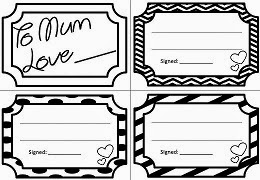
Next is a coupon book. I don't see the point in the ones that are pre written and all the students do is colour. Get your students to come up with ideas and write complete sentences.

Why should all the lovely things kids create go straight home? Decorate your classroom with 'All About My Mum' bunting for when the mothers come into your room.

Revise procedural writing with a made up Perfect Mother Recipe. A very cute gift for Mum.
Sometimes you need early finisher activities and a word search and acrostic poem are perfect for this. 

All these activities are available for sale or you can make up your own proforma's. Follow the links below to your favourite teachers resource site. My package includes both Australian and America Spelling of Mum.